Link Insertion 101: A Beginner’s Guide to Finding Link Opportunities
A beginner-friendly guide to link insertion: what it is, how it compares to guest posting, and how to find opportunities.
What’s Link Insertion?
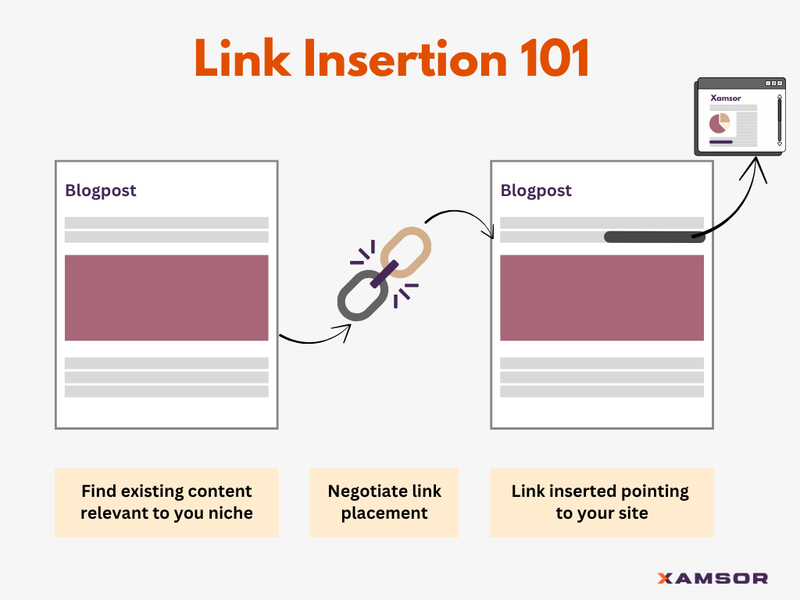
Simply put, link insertion is placing backlinks into existing content on another website.
Instead of writing new content (as in guest posting), you get your link added to a published piece that’s already live.
Link Insertion vs. Guest Posting
With guest posting, you convince other websites to publish a new content piece that includes your backlink.
Link insertion skips content creation altogether. You just convince the site owner to insert your link into relevant, existing content.
Therein lies the benefit. Link insertion is — (a) cheaper – since there’s no content production involved, and (b) faster – since there’s no content production involved.
But:
You can’t just place links into any sort of existing content. Random placements offer no value. The content should be topically relevant. The backlink from that existing content should be a “relevant” and “quality” backlink.
With that in mind, here’s how to find link insertion opportunities.
How to Find Link Insertion Opportunities
Here’s how it works.
Say, I want to do SEO for a company building a Computer Vision Framework.
This is how my approach for link insertions would be:
#1. Ranking Listicles
I’ll start with a Google search: Best [keyword] [product/service] in the niche. In this case, it would be “Best Computer Vision Frameworks”
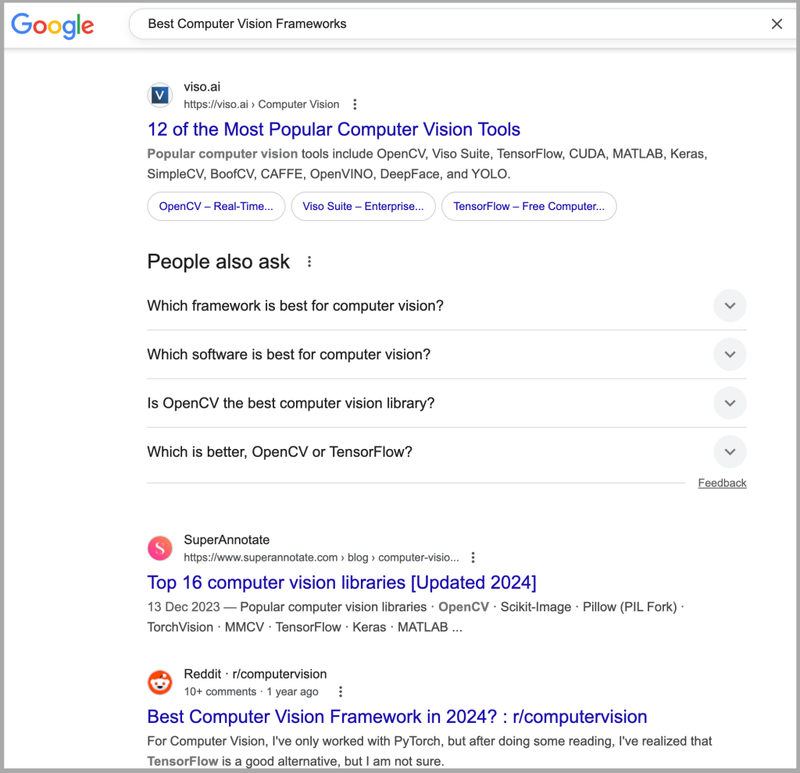
You’ll find listicles, lots of them, in the results – best-of, top 10, comparison articles.
These pages already rank well.
So, not only do you get a “high-quality” backlink from a top-performing content, but also gain traffic from target customers since the content is about “best in the business.”
Once you find these sites, you can reach out to them directly or use tools like FatGrid to check if they accept link insertions and see pricing.
#2. Overall Search Results
The priority #2 to find link insertion opportunities is to search for the main keyword:
Go for the broad keyword search. In this case, “Computer Vision Frameworks”
You consider all the content and articles ranking for this broad but relevant keyword. I would look into all the top 100 results.
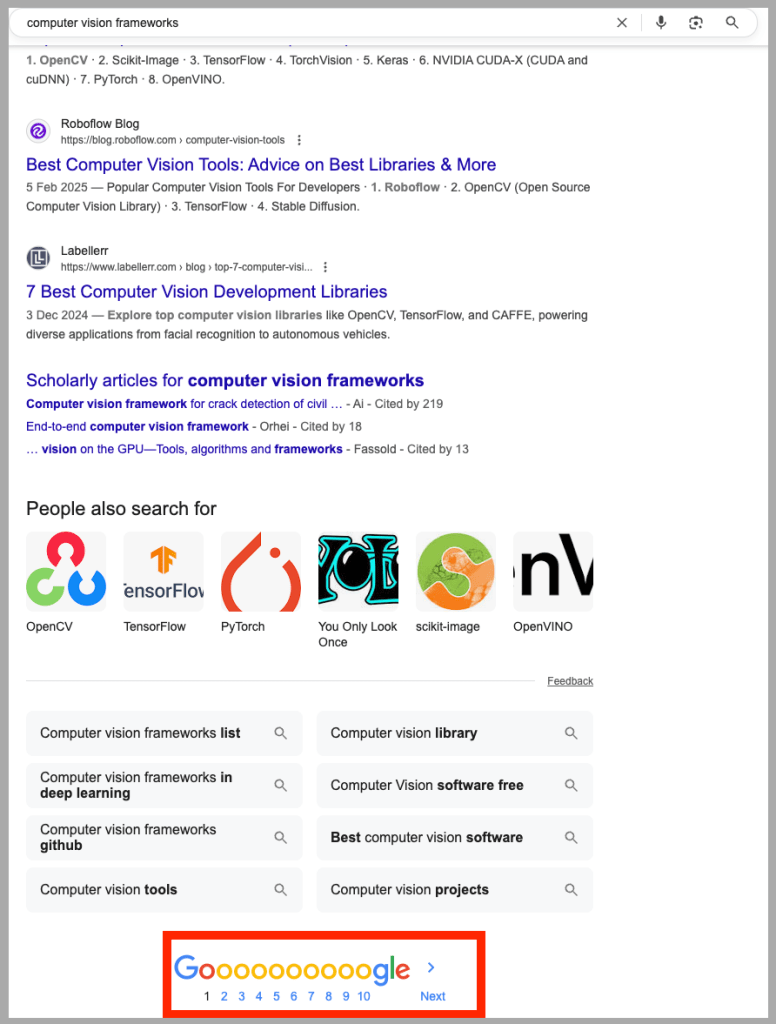
They might not be top-performing content, but if they’re ranking and relevant, they’re valuable.
You can also find more sites by modifying the search term with keyphrases and synonyms.
In my example, where the main keyword is Computer Vision Framework, I would also search for “Computer Vision Library”, since many people Google this.
The best practice is to first collect listicles. Second, collect content overall. Next, relevant content.
#3. Relevant (But Non-Ranking) Content
Relevant content is content about the same topic, but not necessarily ranking in Google search results.
So how do you find them?
There are special services, such as Insert Link and Link Publishers, that allow semantic search.
These tools surface URLs where your topic is a close match, even if they don’t appear in SERPs.
When I search for my keyword, the tool shows several websites, their exact page relevant to my niche, and even their link insertion price.
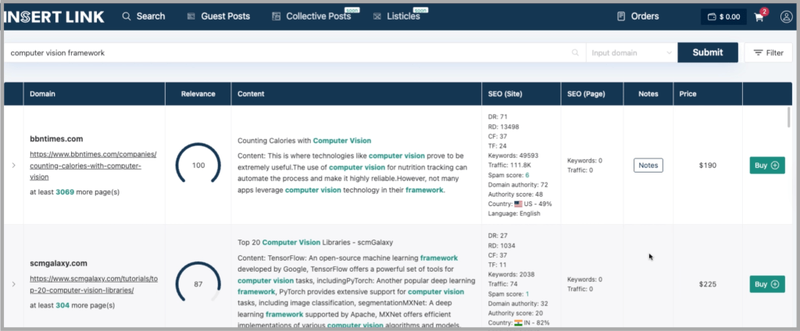
Now, these sites don’t rank well on Google. Are their backlinks useful?
Yes and No.
No, because it’s always better when the website ranks in SERPs. And yet, yes, because backlinks from even the non-ranking but semantically relevant pages boost “authority.”
That’s why PBNs still exist. Even the lowest quality links boost rankings, to an extent.
#4. Specific Use Cases
Next, dig deeper into niche subtopics.
This is a sub-category under relevant content. You find new topical angles and find websites ranking for that topic.
In short, search for specific use cases in your niche.
In my example, I would search:
- “How computer vision is used” or
- “How to count people on video using computer vision”
These use-case articles are often under-the-radar and provide great link insertion spots.
#5. Competitor Backlinks
Last approach, search for competitors in your space.
When I Google for “Computer Vision Framework,” the result shows lots of solutions/products, which are my competitors.
I can reverse engineer their backlinks and find sites where I can insert links to my site.
All you need to do is head over to an SEO tool like Semrush. Enter the competitor’s name, and look into the backlink analytics. You can sort and filter these links by price, country, traffic, Authority Score, etc.
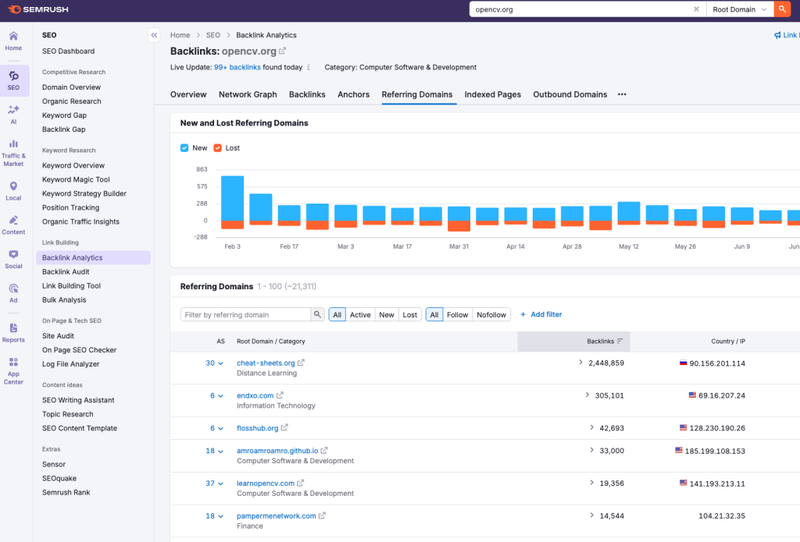
Of course, not every site that’s linking to your competitor will link to you. But you’ll find many link insertion opportunities from sites that are known to accept guest posts and link inserts.
How to Execute Link Insertion
Now that you have found link insertion opportunities using the methods above, the next step is to execute them.
The technical part of it can be a separate topic in itself. But to highlight how to execute it, you can use tools like FatGrid to get the link prices and further shortlist the link insertion opportunities.
You can even find competitors’ backlinks and the link price directly.
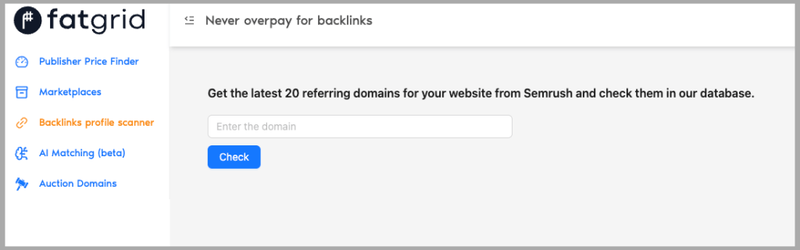
Use the Backlinks profile scanner feature, and enter your competitor’s domain. The tool will give you the list of sites known to accept guest posts and link insertion, along with their prices. You can also filter them for guestpost and link insertion.
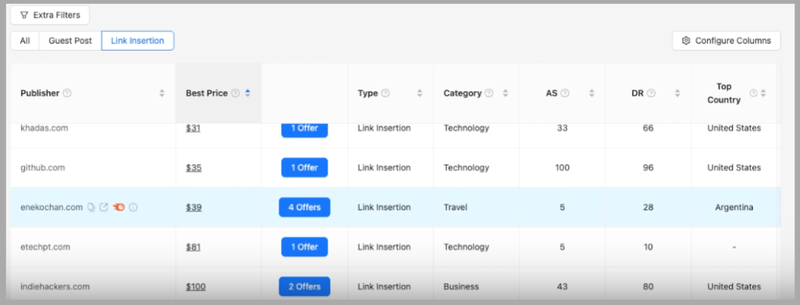
You can then click on the sites you want the link insertion from and proceed to place an order.
Have something to say? Join the discussion on LinkedIn or subscribe to stay tuned:
Max Roslyakov
Founder, FatGrid