Requests (Public Test): Confirm the Price and Niche Before You Order
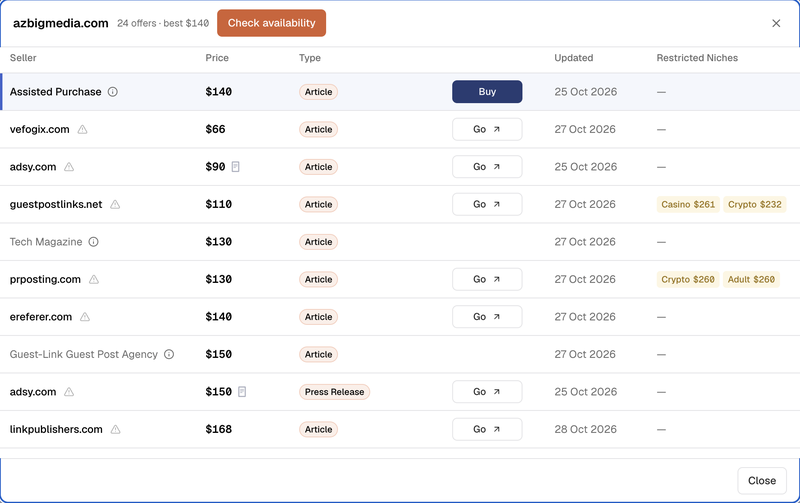
One publisher has different prices and allowed niches on every marketplace. Click Check availability, and we confirm the exact placement with our partners before you order.
The same publisher can look very different across marketplaces. The price changes. The description changes. And the list of allowed niches changes.
We update marketplace offers as accurately and as frequently as required to build the best database on the market.
But marketplaces can't keep 100% accurate data for their entire inventory.
This is especially true when your case isn't standard, such as when you are promoting a restricted niche or want more than one backlink in the content.
To fix this, we are starting a public test of Requests. The goal is to help you get as close to a 100% order success rate as possible.
How Requests work
Open a publisher's offers and click Check availability.
Pick your niche. That is the only required field. You can also add the page you want to link to, your anchor text and a question for us.
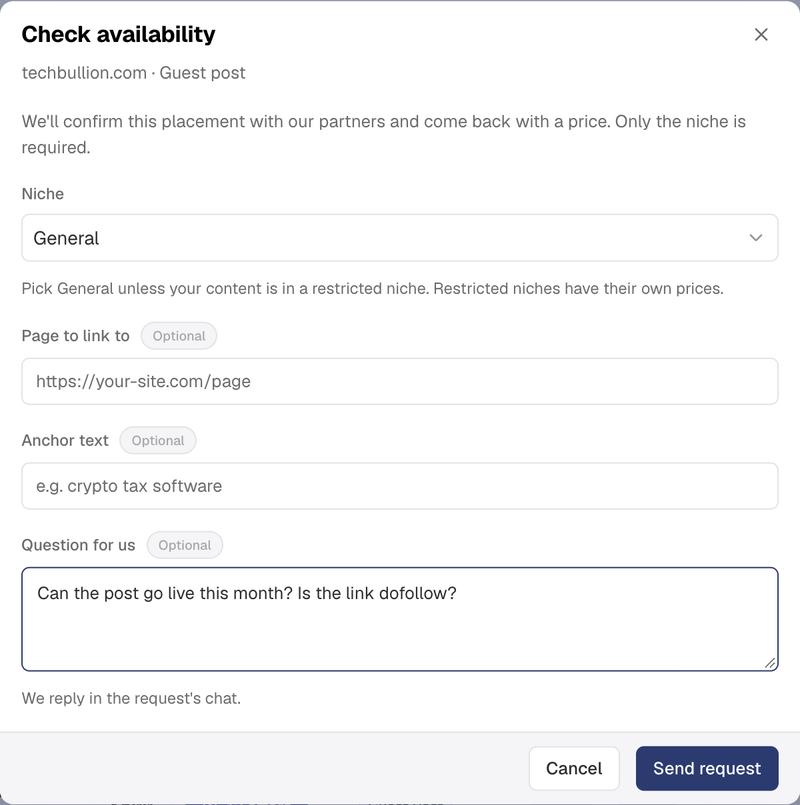
We check this placement for your exact type of content and niche. Our partners confirm the publishing terms, niche, and price first. As soon as the confirmed price is ready, we email you, and you will see it in My Requests.
Order or decline
When you are ready, click Order, add your article, and pay. You can follow the order in My Orders.
If the offer is not right for you, click Decline and tell us why. Every answer helps us bring you better offers next time.
Each request also has its own chat, so you can ask us anything about the placement.
Who can use it
Requests work on every FatGrid plan, including the free one. Sending a request costs no units.
This is a public test, so tell us what to improve. New to FatGrid? Sign up for free, and your first request is one click away.
Max, founder of FatGrid.com